WAVY
A downloadable tool for Windows, macOS, Linux, and Android
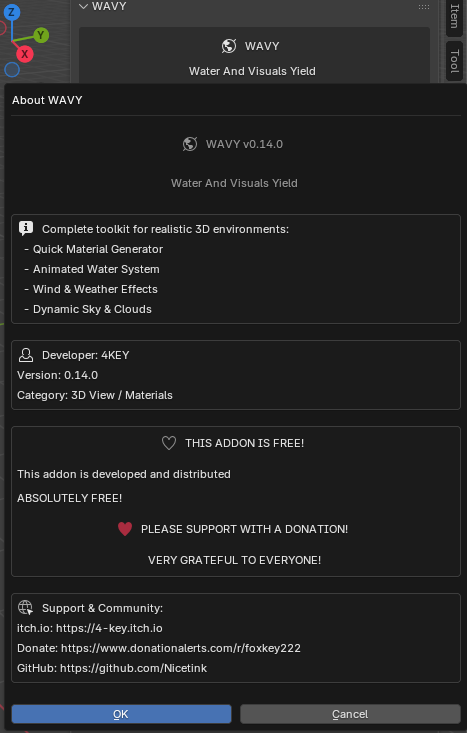
WAVY - Water And Visuals Yield Overview WAVY is a comprehensive Blender addon that provides professional tools for creating realistic water, dynamic weather systems, procedural materials, and atmospheric effects. Designed to accelerate your workflow and deliver production-quality results. Nicetink/WAVY:Features
- Quick Material Generator
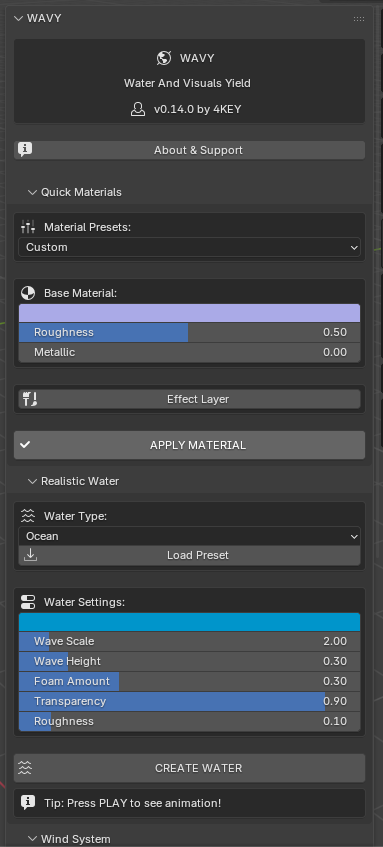
Pre-configured material presets (Metal, Plastic, Gold, Rough Surface) Customizable base color, roughness, and metallic properties Effect overlay system with procedural textures Noise, scratches, dirt, and edge wear effects Real-time preview in viewport
- Realistic Water System
Fully animated wave simulation with automatic drivers Multiple water presets (Ocean, Pool, River, Dirty Water) Procedural foam generation Adjustable wave scale, height, and turbulence Ocean modifier integration for dynamic animation Three-layer wave system (large, medium, ripples) Transparency and IOR controls
- Wind System
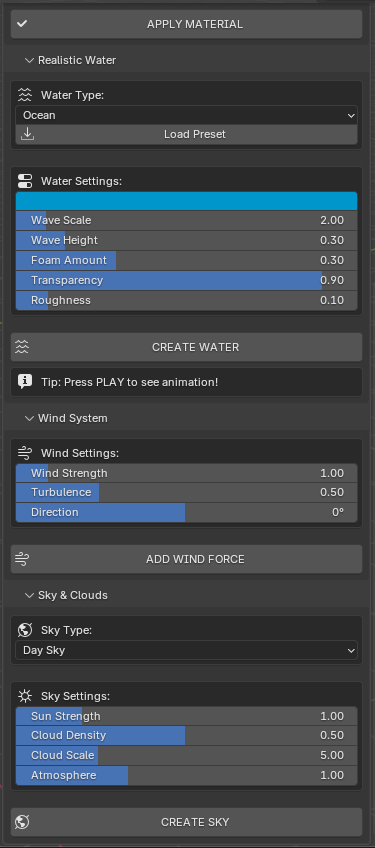
Force field wind generation Adjustable wind strength (0-10) Turbulence controls for realistic variation 360-degree directional control Affects particles, cloth, and water surfaces
- Sky and Clouds
Four sky types: Day, Sunset, Night, Storm Procedural cloud generation with density controls Dynamic day/night cycle support Night sky features stars and moon Volumetric atmospheric effects Sun strength and atmosphere density controls
Installation
Download WAVY_vx.x.x.zip Open Blender 4.0 or later Navigate to Edit > Preferences > Add-ons Click "Install" and select the downloaded ZIP file Enable the addon by checking the box next to "WAVY - Water And Visuals Yield" Access the addon from the 3D Viewport sidebar (N key) under the "WAVY" tab
Usage Guide Creating Materials
Select your object in the viewport Open the WAVY panel (N key > WAVY tab) Navigate to "Quick Materials" section Choose a preset or customize settings manually Adjust base color, roughness, and metallic values Optionally enable effect layers for additional detail Click "APPLY MATERIAL" to generate the shader
Creating Water
Open the "Realistic Water" section in WAVY panel Select a water type preset (Ocean, Pool, River, Dirty) Adjust water color, wave parameters, and foam amount Click "CREATE WATER" to generate animated water plane Press Spacebar (Play Animation) to preview wave movement Adjust Ocean modifier settings for fine-tuning
Adding Wind
Navigate to "Wind System" section Set wind strength and turbulence values Adjust direction angle (-180 to 180 degrees) Click "ADD WIND FORCE" to create force field Wind affects all physics simulations in the scene
Creating Sky
Open "Sky & Clouds" section Select sky type (Day, Sunset, Night, Storm) Adjust sun strength for lighting intensity Control cloud density and scale Click "CREATE SKY" to generate world shader Sky automatically integrates with scene lighting
System Requirements
Blender 4.0 or newer Minimum 8GB RAM (16GB recommended for complex scenes) GPU with OpenGL 4.3 support Windows, macOS, or Linux operating system
Known Limitations
Water animation requires sufficient geometry subdivision Ocean modifier performance depends on resolution settings Browser storage APIs (localStorage/sessionStorage) not supported in artifacts Night sky generation may take a few seconds on older hardware
Troubleshooting Addon doesn't appear in sidebar:
Press N to open sidebar in 3D Viewport Check that addon is enabled in Preferences Restart Blender if necessary
Water doesn't animate:
Ensure you press Play (Spacebar) to start animation Check that Ocean modifier is properly applied Verify timeline is set to appropriate frame range
Materials look incorrect:
Switch to Material Preview or Rendered viewport shading Ensure object has proper UV mapping for textured effects Check that Blender is using Eevee or Cycles render engine
Support and Donations WAVY is developed and distributed completely free of charge. If you find this addon useful, please consider supporting continued development through donations. Your contributions help maintain the addon, add new features, and provide ongoing support. Credits
Developer: 4KEY Testing: 4KEY Special Thanks: Blender Foundation and Open Source Community!
Redistribute or resell this addon Claim ownership of the code Remove developer credits
Download